

Order taken
Table, counter or waiter app — kitchen ticket sent to the right section.
AI-integrated POS · by AsanTech (Pvt) Ltd
AsanAI POS is a fully advanced, AI-integrated point-of-sale system for restaurants, retail, pharmacies, fashion, electronics, wholesale and more — fast till, inventory, accounting, payroll and reports, with the Asan AI guide and voice alerts built in.
Demo & contact only — we quote your exact setup, never a guessed price.
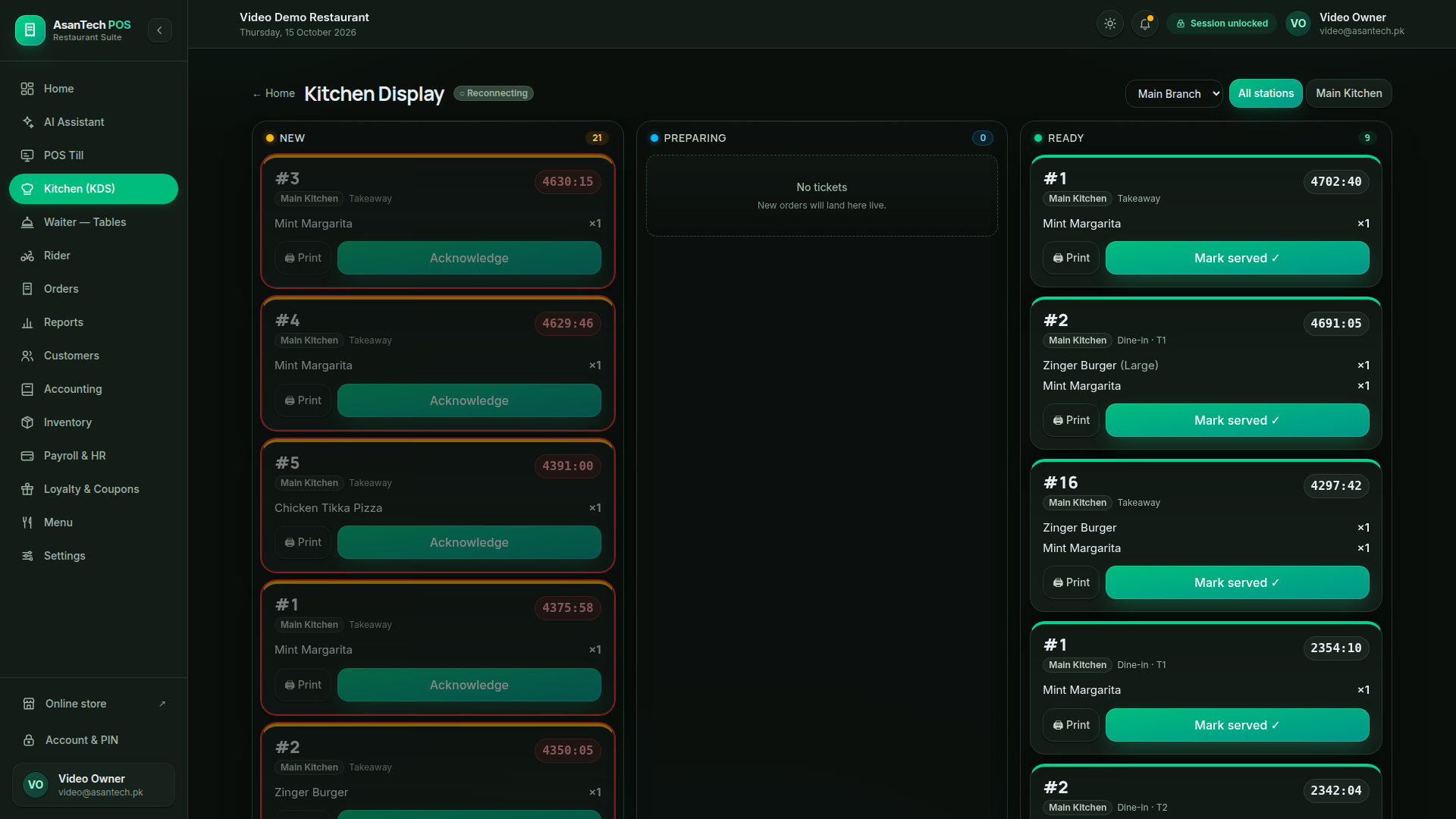
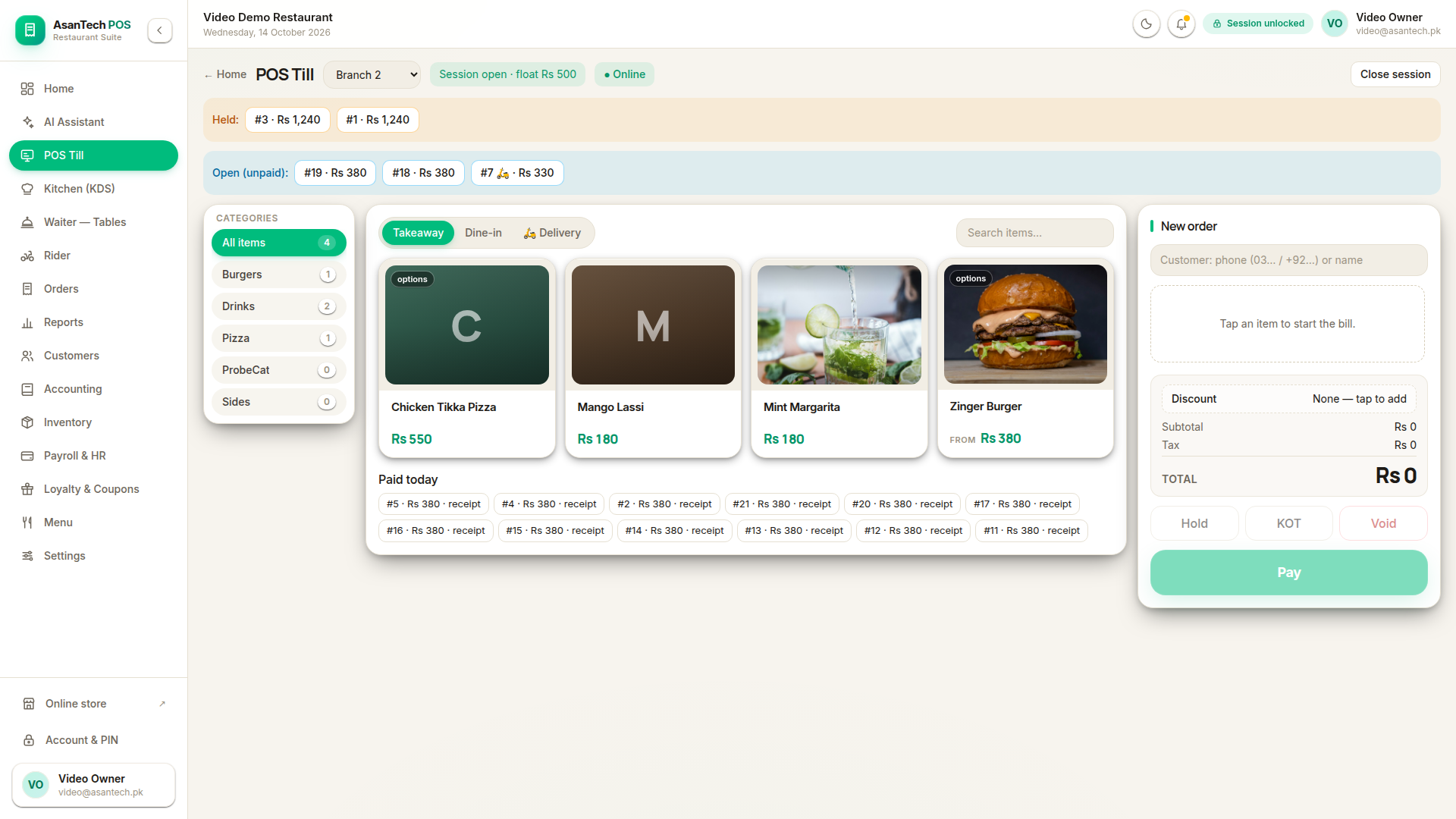
POS Till — the live counter screen
REAL SCREEN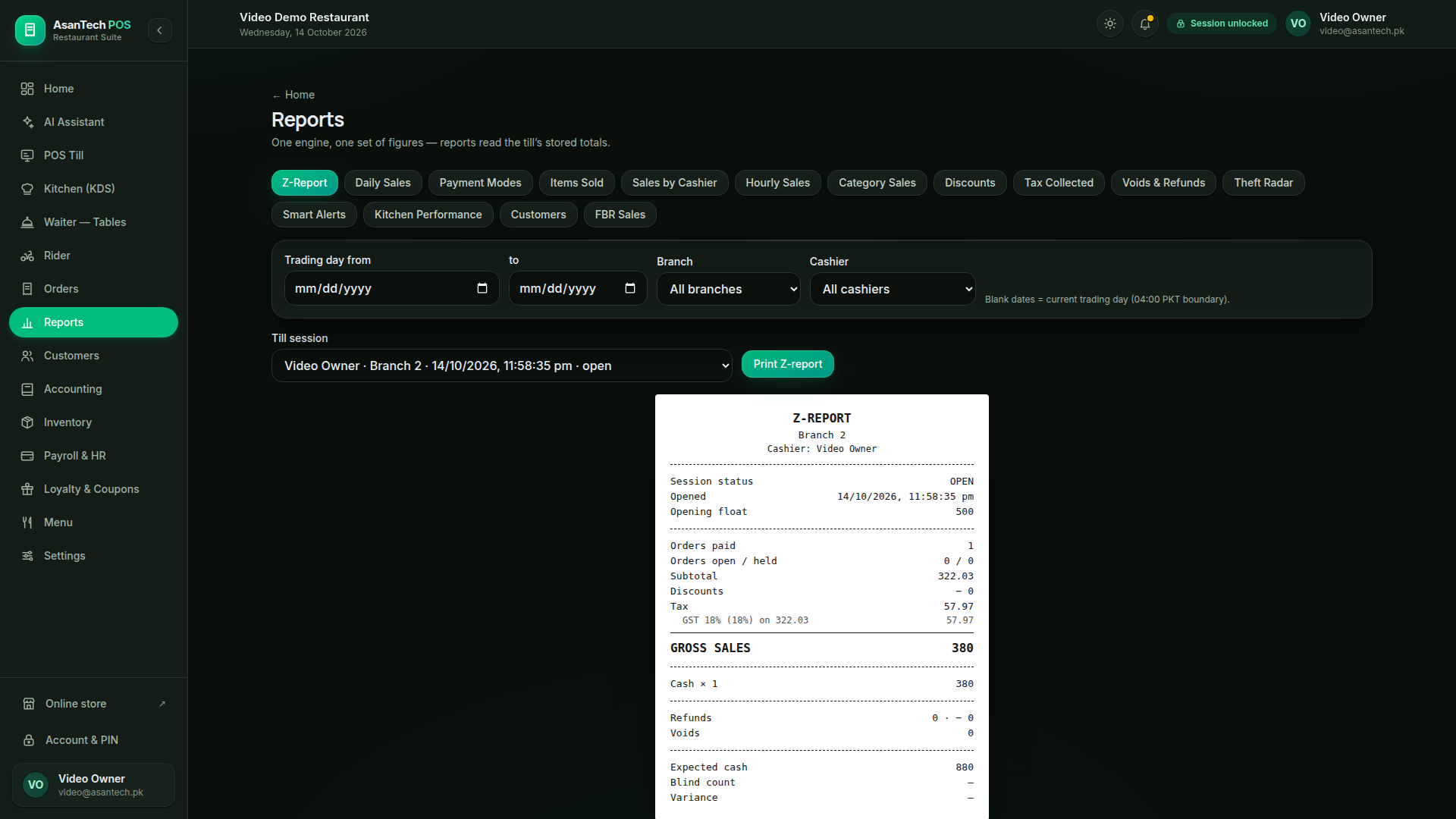
Order paid · Rs 380 — receipt printed
Real screenshots from our demo restaurant — Video Demo Restaurant, demo data only, October 2026. Till, kitchen display and Z-report, exactly as your staff will see them.
A day on the till
The same flow, every day: an order is taken, the bill is saved, it is paid and printed, and the day closes with figures that reconcile.
Table, counter or waiter app — kitchen ticket sent to the right section.
Saved as pending first. It counts as a sale only when it is paid.
Paid receipt with FBR number, stock deducted, food cost recorded.
Session closed, expected cash reconciled, variance shown honestly.
POS types
Every business below runs on the same AsanAI POS platform — but each one sees only the screens and features that fit how it actually works.
Dine-in, takeaway and delivery from one till.
Built around real desi service, not a translated menu.
Fast counter service with a clean, calm till.
Barcode-first selling for busy counters.
Accurate dispensing records with batch awareness.
Size, colour and style variants without the mess.
Also: Cafe & Bakery, Pharmacy, Fashion / Garments, Electronics & Mobile, Hardware, Wholesale & Distribution, Salon & Spa, Grocery, and Book / Stationery. Full list →
Features
The till is the start, not the whole product. Inventory, money, people and reports are built in — and they agree with each other.
A calm, touch-friendly till: search by name or code, variants and add-ons in one compact chooser, and item names shown in full — never cut off.
Indoor, family and outdoor tables with transfer, merge and split. Kitchen tickets go to the right section, and paper mode keeps service moving when there is no kitchen screen.
Waiters take orders from the table on phone or tablet. Orders reach the kitchen first; payment stays with the cashier, exactly as the owner defined it.
Delivery orders, rider assignment and a rider board, so takeaway and delivery do not get mixed into dine-in service.
Ingredients, recipes and section stock. Every paid sale deducts the recipe and shows its food cost — so margins are real numbers, not guesses.
Customer records with phone, owner khata and staff self-orders, loyalty points, and coupons that are re-checked against the cart before they apply.
See it in action
These are real screenshots from our demo restaurant. What you see here is what your staff will actually use.
POS Till — light
Photo tiles, full item names, held and open bills, and paid-today receipts on one calm screen.
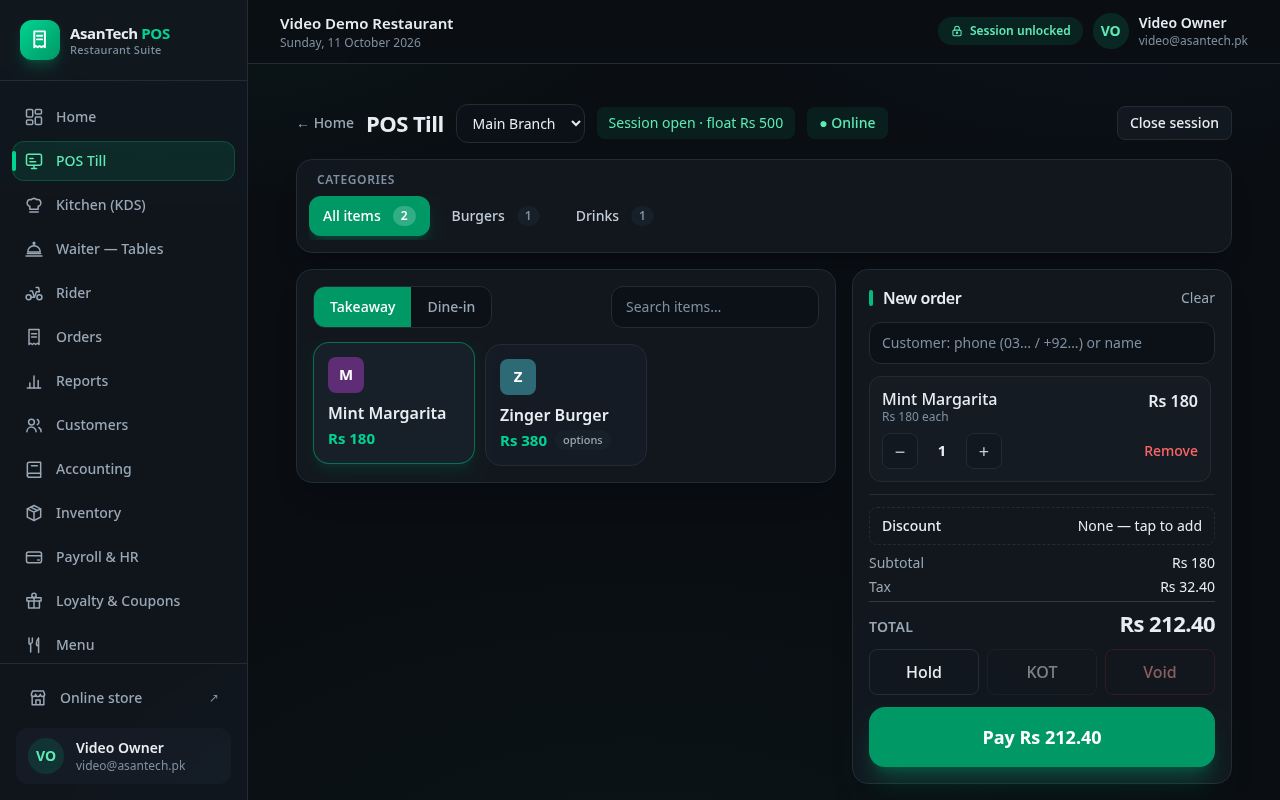
POS Till — dark, with a live order
A real order on the till: Mint Margarita, tax shown, total Rs 212.40, ready to pay.
Kitchen Display (KDS)
Live tickets by section — New, Preparing, Ready — with timers, acknowledge and mark-served.
Reports — Z-Report
Day close that reconciles to the paisa: gross sales, tax, cash expected, variance shown honestly.
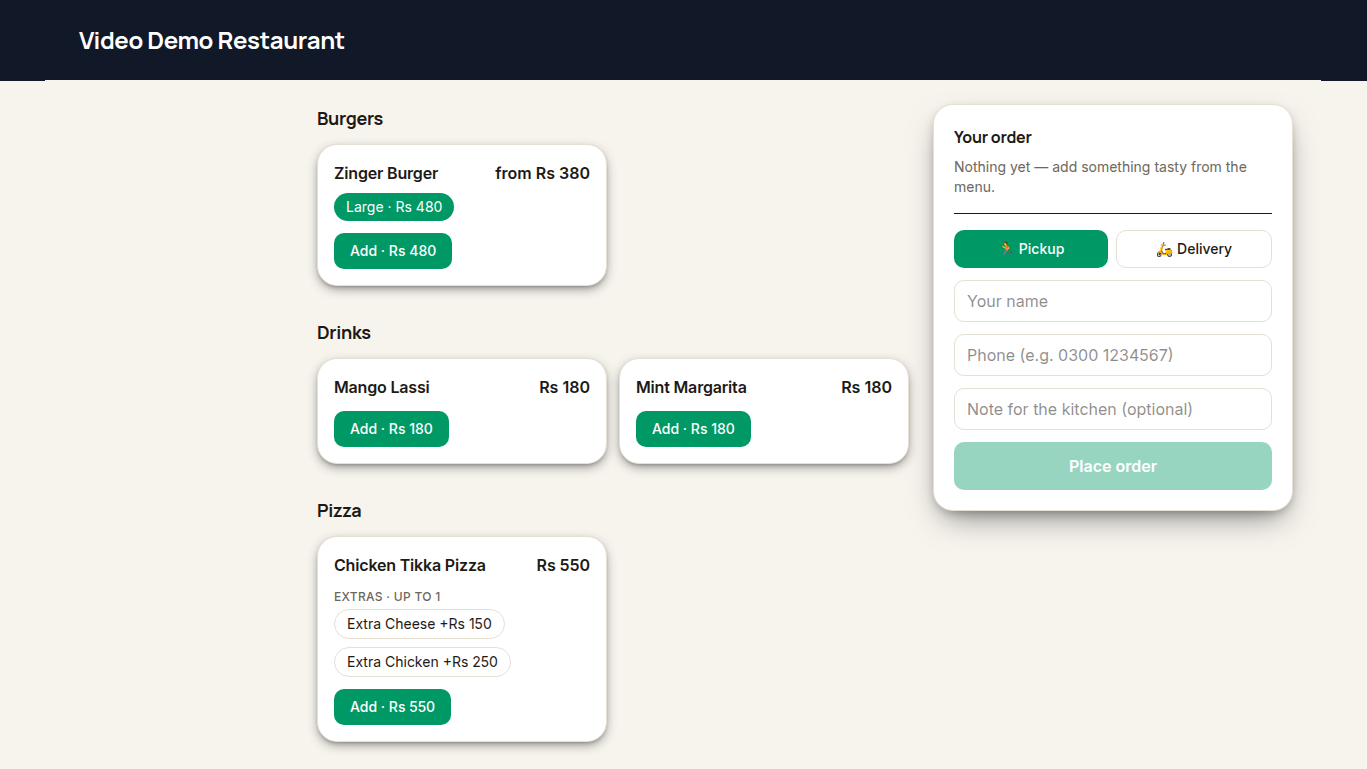
Online storefront
Customers order online for pickup or delivery — name, phone and kitchen note included.
Real screenshots from our demo restaurant — Video Demo Restaurant, demo data only. Captured October 2026; the live product keeps improving and may look newer.

Asan AI · The AI agent
Asan answers how-to questions step by step, in the language of the question, and speaks voice alerts on order payment and key events — in English or Urdu. It guides your staff through the software so even a new cashier is never stuck. And one thing is fixed by design: Asan never executes changes. It never adds, deletes, reprices or changes stock on its own. Guide and alerts only — your staff stay in control.
Asan
AI Assistant · Guide + alerts only
Here is how to void a bill:
Bill hold karna asaan hai:
“Order #42 paid — Rs 2,430”
Spoken alert · English — Urdu bhi available, Asan settings mein set karein.
Example conversation — the same Asan panel your staff will use. Asan answers in the language of the question.
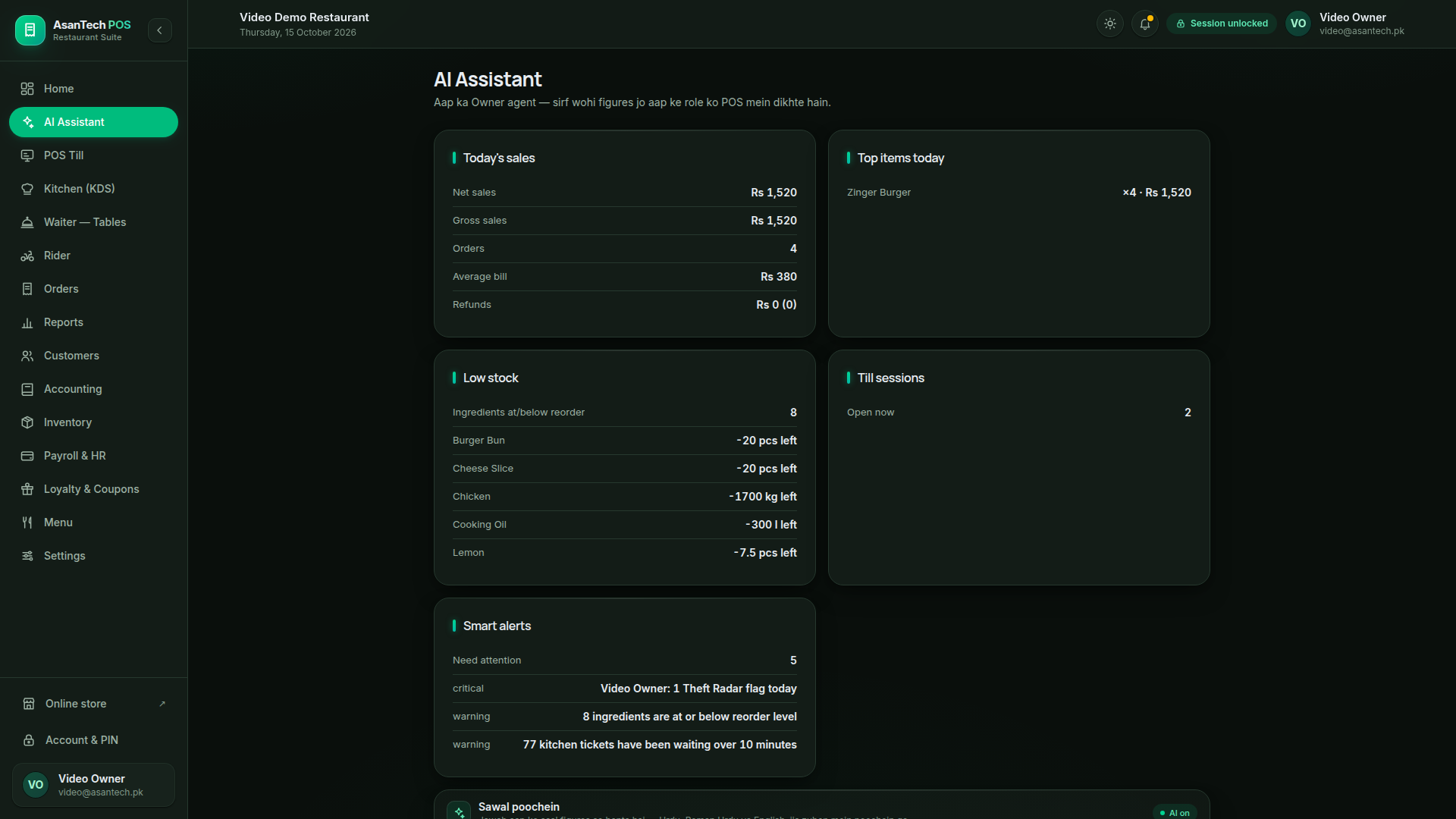
The real Asan panel
Today's sales, low stock and smart alerts in the product's AI Assistant screen — the same panel your staff will open.
Demo data, October 2026.
How it works
No business goes live on a promise. You see it working on your own setup first, then we set it up properly, then you open the till.
We show AsanAI POS on a setup like yours — your menu or catalogue, your counter, your kitchen — and answer every question in plain language.
Your business is created, your items, prices, taxes, staff roles and printers are set up, and your data is imported. Nothing goes live half-ready.
Your staff are trained in short steps, the till opens on your own screen, and the first paid sale is verified with you — figures reconciled, receipt printed.
Why AsanAI
FAQ
No. It started with restaurants and retail, and the same platform now covers cafes, pharmacies, fashion, electronics, hardware, wholesale, salons, groceries and book shops — each business type sees only the screens and features that fit how it actually works.
Asan is a guide and alerts assistant. It answers how-to questions step by step, in the language of the question, and speaks voice alerts on order payment and key events in English or Urdu. It does not execute changes — it never adds, deletes, reprices or changes stock on its own.
No. Printing is brand-agnostic. If your business already has a thermal slip printer, AsanAI POS prints to it. The cashier's till PC is the print centre; kitchen slips, bills and paid receipts each go where they belong.
Request a demo. We set up your menu or catalogue, train your staff in short steps, and you go live when your own screen is ready.